I posted the espresso machine, went back inside to grab my keys, and by the time I got to the curb someone was already loading it into their car. Four minutes. That does not always happen — but the difference between a listing claimed in 20 minutes and one that sits for four days is almost always the quality of the photo and description. Here is what to do.
Before You Post
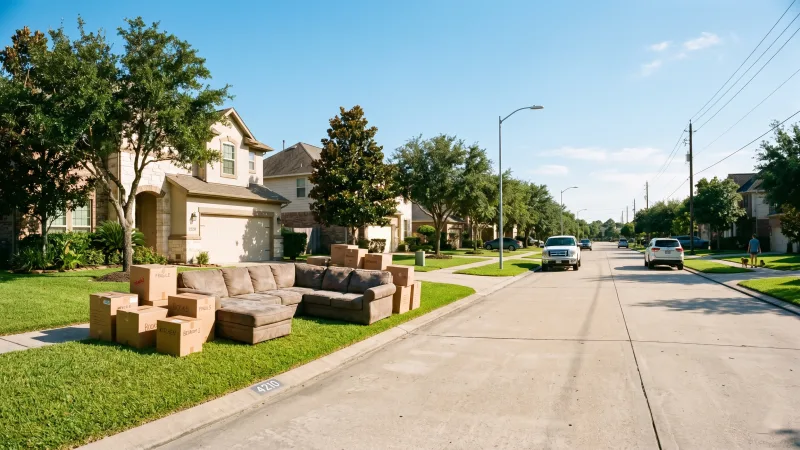
Physically place the item on your curb or in front of your home. Items should be on public sidewalk — not inside a gate, behind a fence, or requiring access to private property. Make sure the item is in reasonable condition and free of hazardous materials.
Take a few photos with your phone. Good lighting and multiple angles help Finders decide quickly. The better your photos, the faster your item gets claimed.
Step-by-Step: Posting Your Item
Step 1: Open the App
Go to curbsofa.com/app.html and tap the + Post button at the bottom center of the screen. If you're not signed in, you'll be prompted to create a free account — it takes about 30 seconds.
Step 2: Add a Title and Category
Give your item a short, descriptive title: "Brown leather sofa, minor wear" or "IKEA KALLAX bookshelf, white, 4-cube." Choose the right category (Furniture, Electronics, Kitchen, etc.) — this helps Finders using category filters find your item faster.
Step 3: Add Photos
Upload up to 5 photos. The app compresses them automatically, so you don't need to worry about file size. At least one clear photo is required — items with photos get claimed significantly faster than text-only posts.
Step 4: Drop Your Pin
The app will ask to use your location. Allow it, and your pin will be placed automatically. You can drag it to adjust if needed. The pin shows other users roughly where the item is — it doesn't reveal your exact address.
Step 5: Post It
Hit "Post Item." Your listing goes live immediately on the map and in the Browse feed. You'll earn +10 Karma for the post, and another +20 Karma when a Finder marks it as picked up.
Quick Tip: Add a short description mentioning any defects, approximate dimensions, or special notes ("works perfectly," "just needs cleaning," "heavy — bring a friend"). More context = faster pickup.
After You Post
Once your item is claimed or gone, go to Me → My Listings and tap "Mark as Gone." This removes it from the map immediately and awards your Karma. Don't wait for the 20-day auto-expiry — marking it yourself keeps the map clean for other users.
That's it. Post, pin, done. Your neighbor is probably already looking at your map pin.